Requirements: 8.0+
Overview: If you fall asleep while listening to music or watching a video, it will stop playback. It can help prevent you from waking up due to prolonged playback and alleviate battery drain and screen burn-in. Therefore, this app can improve the quality of your sleep and extend the life of your device.
*What is this app?
If you fall asleep while listening to music or watching a video, it will stop playback.
It can help prevent you from waking up due to prolonged playback and alleviate battery drain and screen burn-in.
Therefore, this app can improve the quality of your sleep and extend the life of your device.
*How do I use it?
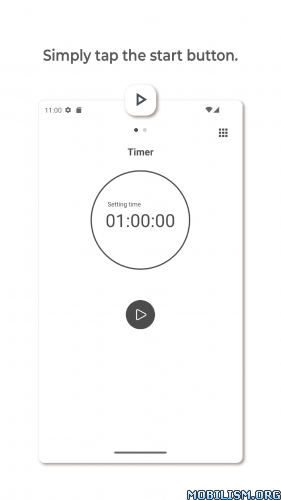
Just tap the start button and it will stop the playing player after 1 hour.
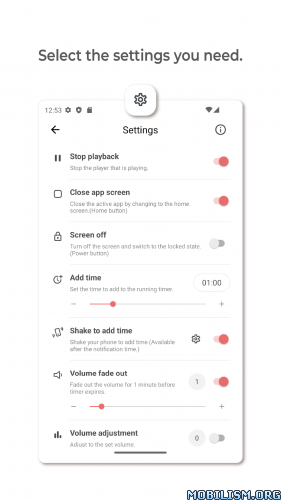
If you need more features when the timer expires, add it in settings.
*Cozy timer 3.0 Major Updates
1. UI changes
– The UI has been changed to be simpler and clearer.
– You can choose between a dark theme and a light theme to use.
2. New features
– You can turn on Do Not Disturb when the timer expires.
– You can turn on/off WiFi(Android 9 or lower), Bluetooth and Do Not Disturb at specific times.
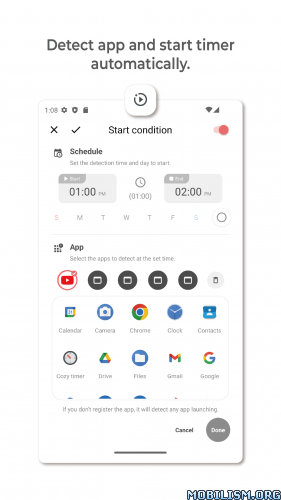
– The timer starts automatically when you launch the set app for a specific time.(Premium feature)
3. Others
– The stop playback feature has been improved.
– If you allow the Accessibility permission, you can unlock by fingerprint recognition.
– Android 10 and higher cannot turn off WiFi.
*Permissions
1. Accessibility
– Detect the launched app.
– Includes screen off feature that can be unlocked by fingerprint recognition.
2. Device administrator
– Turn off the screen.
Cozy Timer never collects personal information.
*Open source license
– Apache License Version 2.0
– MIT License
– Creative Commons 3.0
– Image by Freepik
★★★ MOD by Alex.Strannik ★★★
● PREMIUM Unlocked
● Blocked ads
● Blocked analytics
● Optimized resources
➡ Languages: ‘en’ ‘de’ ‘es’ ‘es-US’ ‘fr’ ‘fr-CA’ ‘it’ ‘pl’ ‘pt’ ‘pt-BR’ ‘pt-PT’ ‘ru’ ‘tr’
➡ Architectures: arm64-v8a, armeabi-v7a
What’s New:
• 2025-10-31
Cozy Timer 4.0 is now available!
– Schedule mode has been changed to a feature to schedule a timer.
: The timer will start at the scheduled time.
– Media stop added.
– Timer presets added.
– Dynamic color added.
: Android 12 or higher.
– The location and name of some settings have been changed.
: Shake to add time, Floating button ➔ Settings-Add time.
– The feature that starts a timer when the app launches has been removed.
– Compatible with Android 16.
This app has no advertisements
More Info:
https://play.google.com/store/apps/details?id=com.toflux.cozytimer&hl=enDownload Instructions:
https://upfiles.com/fnmzL5T
Mirrors:
https://dgdrive.site/hktsvg8e0wqy
https://katfile.cloud/zyukdniqza19.